
安装 GPS / 罗盘模块
[copywiki目的地="飞机,copter,rover,blimp,sub"].
UBlox GPS + 编码模块
一个UBlox GPS + Compass模块是ArduPilot兼容自动驾驶系统最常用的GPS. 这些模块有许多版本可供各制造商使用,推荐的模型是** 。
ArduPilot在启动后不久就自动配置GPS,所以不需要任何GPS相关的校准. 但是,必须校准**附件。

连接自动驾驶器

示例: 连接到 Pixhawk
连接GPS的6-pin DF13连接器到Pixhawk的"GPS"端口和
指南针与I2C端口的4位连接器。 或者说
罗盘可以首先通过一个I2C 拆分器

关于如何设置和使用第2GPS的详情可在**GPS Blending page ** page上找到.
说明:
baud 率由 UBlox 驱动程序设置( 设置)SERIAL4 BAUD = 38
说明:
ArduPilot supports many attached compasses, but only up to 3 compasses can be used during operation. See common-compass-setup-advanced.
Mounting the GPS Module
This module permits the GPS to be mounted separately from the flight control module so that it can have the best clear (view) of the sky and allows the compass to be distanced from interfering magnetic fields.
提示:
The recommended orientation is to mount the module with the arrow facing toward the front of the vehicle and in the same direction as the arrow on the autopilot.
When mounting the GPS+Compass module:
- Place the module on the outside of your vehicle (in an elevated position if appropriate) with a clear view of the sky, as far as possible from the motors and ESCs, with the arrow facing forward.
- Distance the module from DC power wiring and the batteries by at least 10cm. Use of a GPS mast is highly recommended.
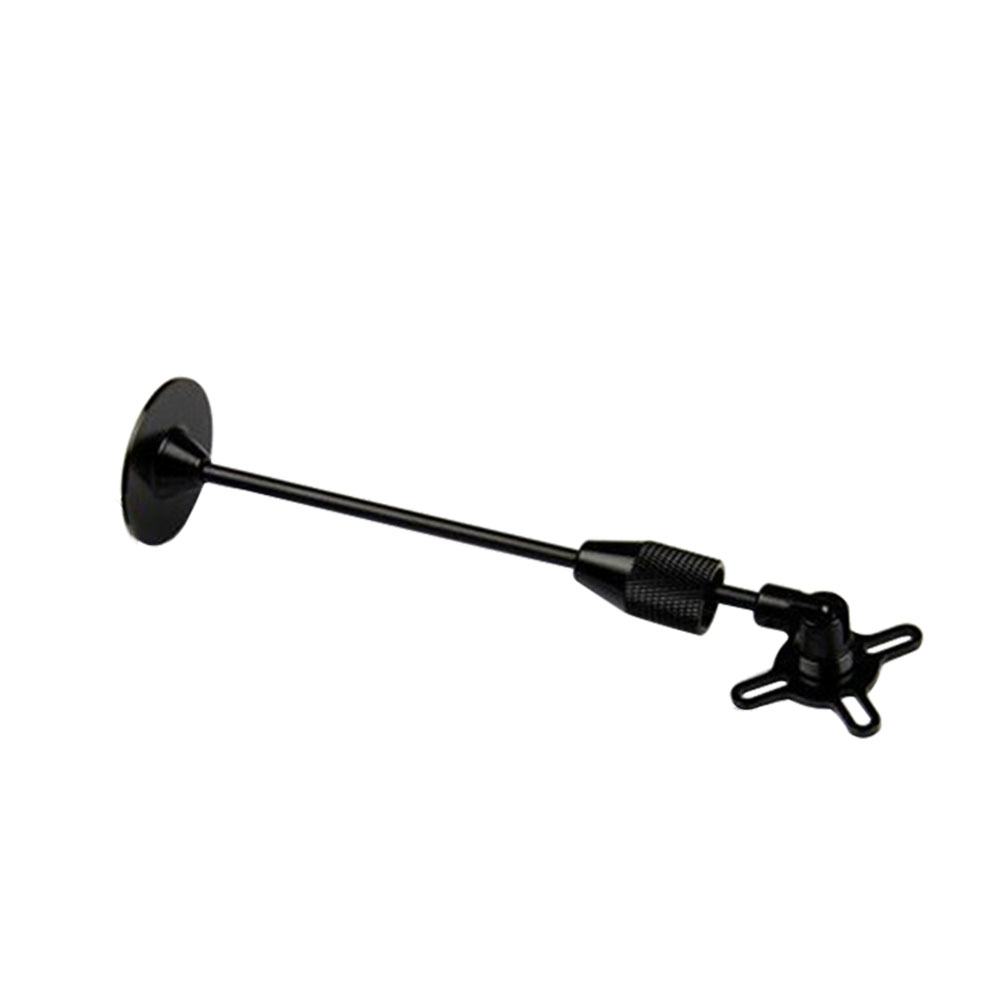
- Place the module clear of nearby iron containing metallic objects. (Use nylon or non magnetic stainless steel hardware and nylon or aluminum standoffs to mount the module).
- Twist power and ground wires where possible.

Setup in Mission Planner
**Compass Calibration in Mission Planner ** explains the simplest way to calibrate a compass mounted in the recommended orientation (arrows for autopilot and compass facing to front of vehicle).
**Advanced Compass Setup ** contains more detailed instructions for calibrating a compass if, for example, it has been mounted at some other orientation.
LED Indicators
The 3DR GPS+Compass module has two LED indicators: one for power (solid red) and one for GPS lock (flashing blue). Most GPS have an led indicator for 3D GPS lock acquisition.
| LEDs: | Behavior: |
| Power | Solid red when powered |
| GPS lock | Flashing blue when 3D GPS lock acquired |
Advanced Configuration
Advanced configuration of the UBlox GPS's internal settings is documented in **UBlox GPS Configuration **. But this is never used by the average user. ArduPilot automatically configures the gps during initialization.
【本页后半部分仍为英文原文摘录,补译中。】
译自 ArduPilot Copter「[copywiki destination="plane,copter,rover,blimp,sub"]」· 查看原文 · CC BY-SA 3.0